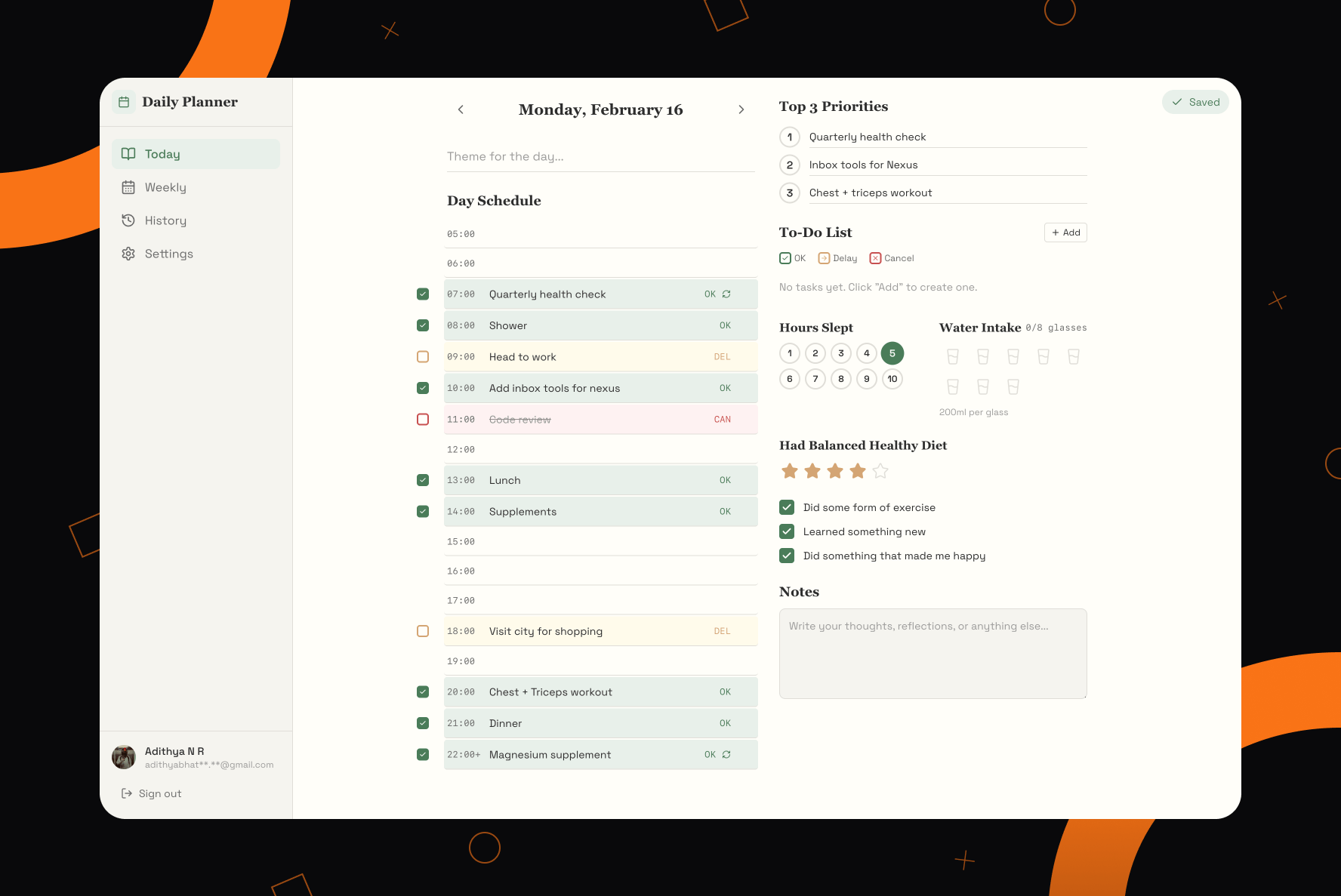
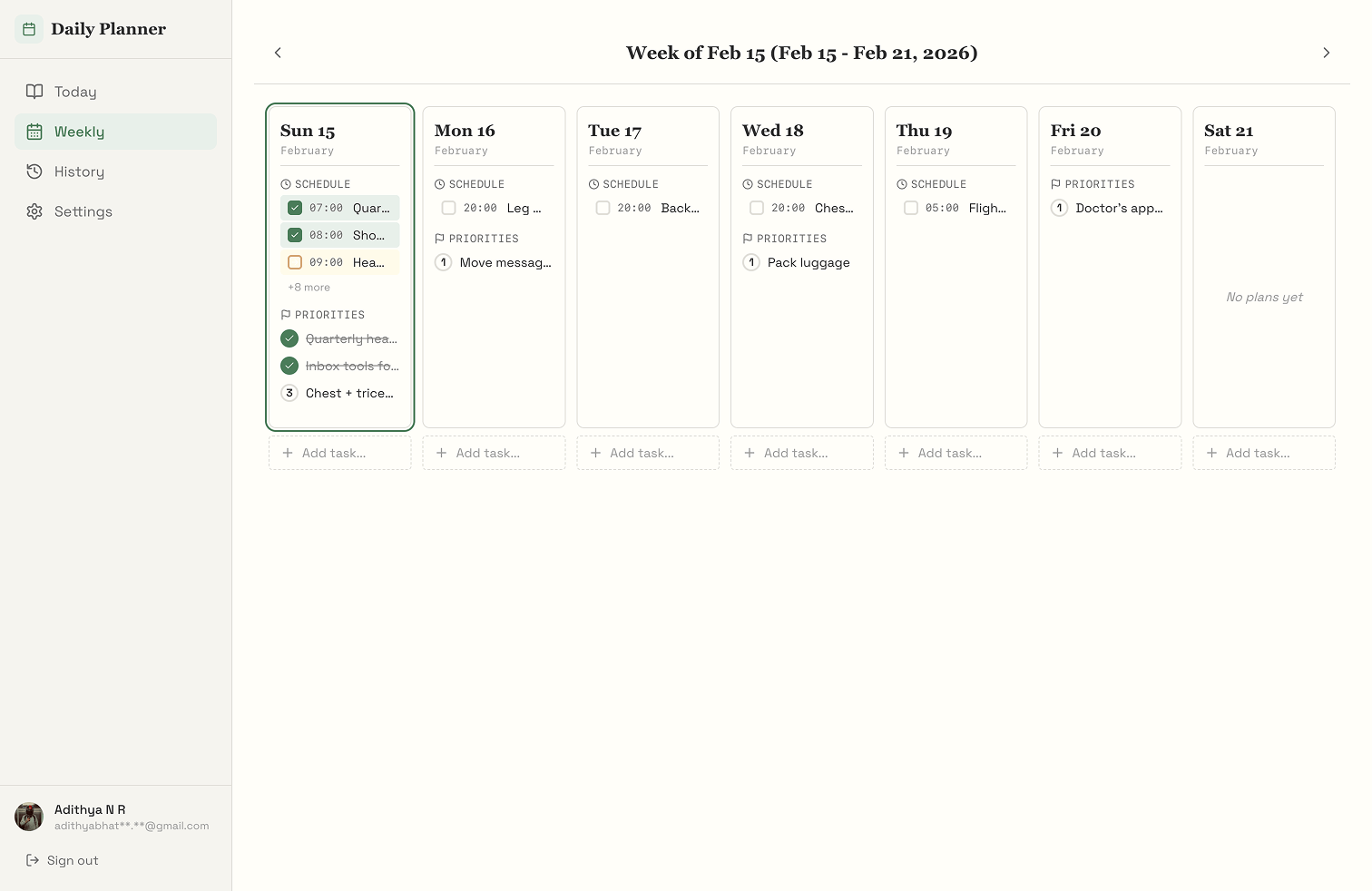
Daily Planner is a daily planning app I built for myself after getting frustrated with every other option out there. It's a structured page, one per day, same layout every time, with an hourly schedule, three priorities, a to-do list, some wellness tracking, and a notes section. It runs on web and mobile, syncs with Google Calendar, and it looks more like a paper planner than a SaaS product.
I built it as a Turborepo monorepo: a Next.js 15 web app, a React Native mobile app on Expo, and four shared packages underneath for components, state, types, and config.
Why I Built This
I've used Notion, Todoist, Google Tasks, Apple Reminders, and physical planners. I'm not exaggerating. I've bought at least three physical planners in the last two years. The problem was always one of two things: either the tool was too flexible and became a project in itself (Notion, every time), or it was too rigid and only solved one part of the problem. A to-do list has no concept of time. A calendar has no concept of priorities.
What I actually wanted was something that understood what a day looks like. Not a list of tasks. A schedule with time blocks, a short list of what actually matters today, a longer list of stuff I need to get around to, and some basic tracking of whether I took care of myself. Sleep, water, exercise. That's it. And I wanted the UI to have opinions. Three priorities instead of ten. An 18-hour schedule from 5 AM to 10 PM instead a freeform canvas.
Setting Up the Monorepo
The first decision was whether to build two separate apps or share code from the start. I went with Turborepo and pnpm workspaces on day one because I've made the mistake of building a web app first and then trying to port components to React Native later. It's miserable. You fix a bug in one place and realize three weeks later that the other app still has it.
The monorepo has two apps (apps/web and apps/mobile) and four shared packages.
@daily-planner/ui has the 10 presentational components: TodoList, DaySchedule, PriorityList, SleepTracker, WaterIntake, DietRating, CalendarView, DateHeader, CheckboxItem, NotesSection. No data fetching, no business logic. They take props and they render. That's it.
@daily-planner/store is a single Zustand store with one hook called useDiaryStore and around 25 actions. It holds the entire current day's entry and every way you can mutate it. I went with Zustand over Context because I needed fine-grained subscriptions. The water intake tracker shouldn't re-render when you're typing in a schedule slot on the other side of the page.
@daily-planner/types has shared TypeScript interfaces and auto-generated Supabase database types. @daily-planner/config has shared ESLint and tsconfig variants for the different apps.
This structure meant I could build a component once, use it in both apps, and not worry about type mismatches because the types package was the single source of truth. Turborepo's build caching also helped. Changing a UI component only triggers rebuilds for the packages that actually depend on it.
The Database Schema
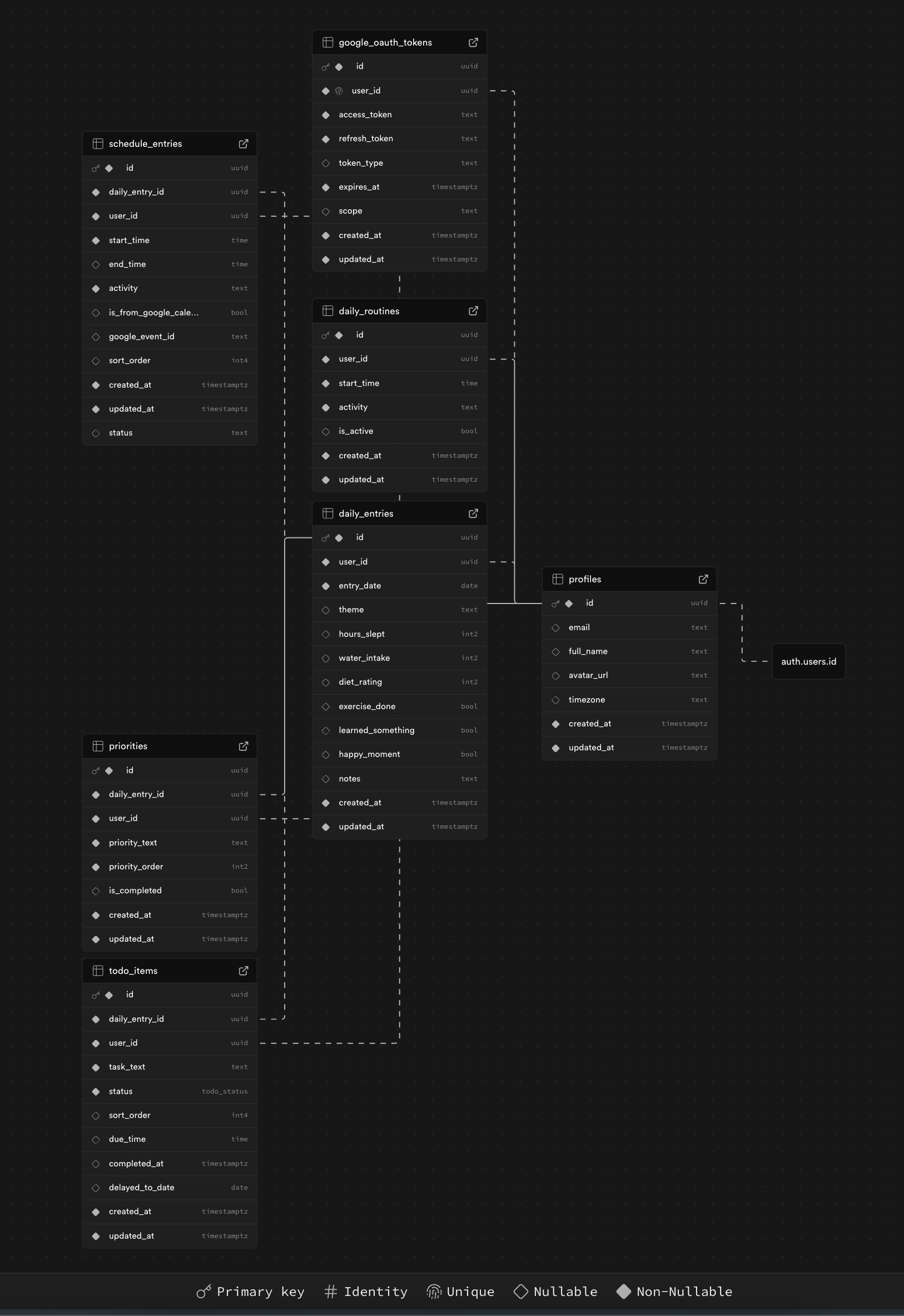
PostgreSQL on Supabase. The schema went through three migrations, and I think it reflects the opinionated nature of the app pretty well.
The core table is daily_entries, one row per user per day, with a unique constraint on (user_id, entry_date). I chose to store the wellness metrics directly on this table: hours_slept (1-10 scale), water_intake (0-8 glasses), diet_rating (1-5 stars), plus three booleans for exercise_done, learned_something, and happy_moment. I put these here instead of in a separate table because they're always loaded together and there's no real reason to add a join for six scalar values.
Three child tables branch off from there. schedule_entries handles the hourly time slots, priorities holds the top three items for each day, and todo_items is the open-ended task list. Todos have a four-state enum (pending, completed, delayed, cancelled) which turned out to be more useful than a simple checkbox. More on that later.
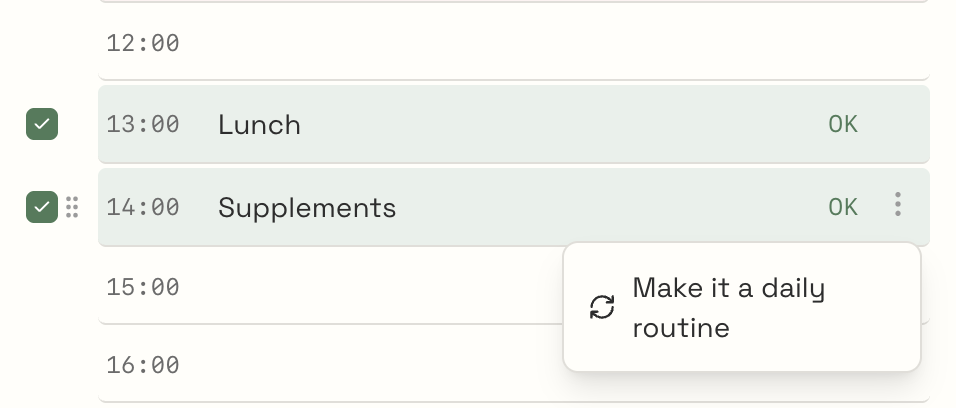
Migration 002 added that same status field to schedule_entries. I originally thought schedule slots were just text, like "9 AM: standup", but within a day of actually using the app I realized I needed to track whether I did the thing at 2 PM or just planned to. Migration 003 added a daily_routines table after I noticed I was adding the same five entries in my schedule every single day (morning coffee, standup, gym, lunch, wind-down). Now there's a unique constraint on (user_id, start_time) and new entries auto-populate from active routines.
Every table has Row-Level Security enabled. All the policies boil down to auth.uid() = user_id. There's no custom API layer sitting in between. Supabase's PostgREST handles the CRUD, and RLS is the authorization. For a personal app, this is the right amount of backend: zero.
There's also a get_or_create_daily_entry() Postgres function that runs as SECURITY DEFINER. Navigate to any date and it either returns the existing entry or creates a blank one. No separate "create entry" button needed.
Drag-and-Drop
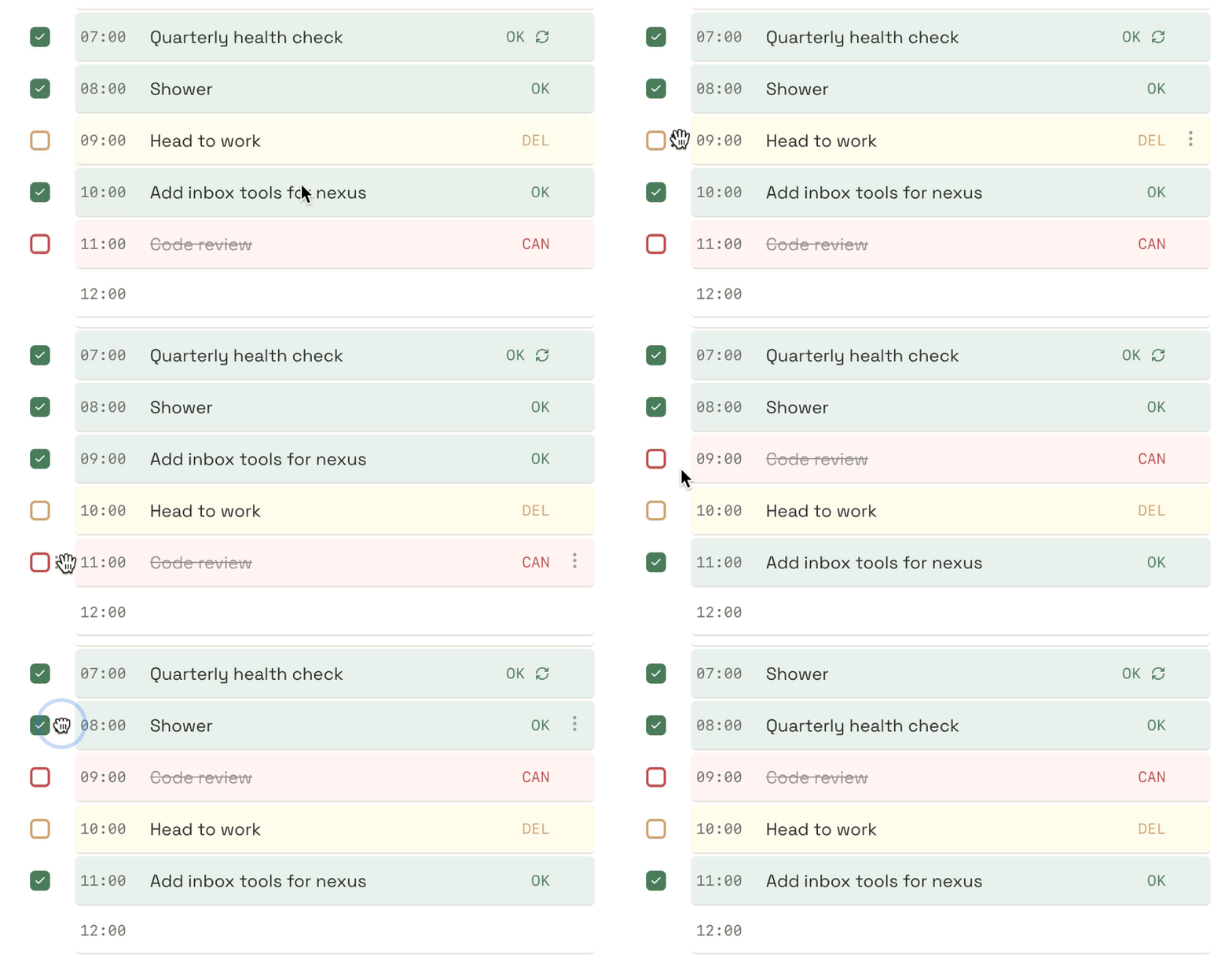
Three things in the app are reorderable via drag-and-drop: priorities, todos, and schedule slots. All three use @dnd-kit/core and @dnd-kit/sortable, but they each work a bit differently.
Priorities have exactly three slots, always. Dragging #3 to the top splices the array and then remaps the order field so it reads 1, 2, 3 again. The numbered circles always show position, not identity.
Todos are simpler. Drag to reorder, and sortOrder on each item updates to match its new index.
The schedule was the tricky one. You're not moving items in a list. You're swapping time slots. If I drag "Gym" from 9 AM to 2 PM, the entry's startTime changes from "09:00" to "14:00". And if there was already something at 2 PM, it moves to 9 AM. Bidirectional swap. The moveScheduleSlot action in the store handles both sides of this.
Google Calendar Integration
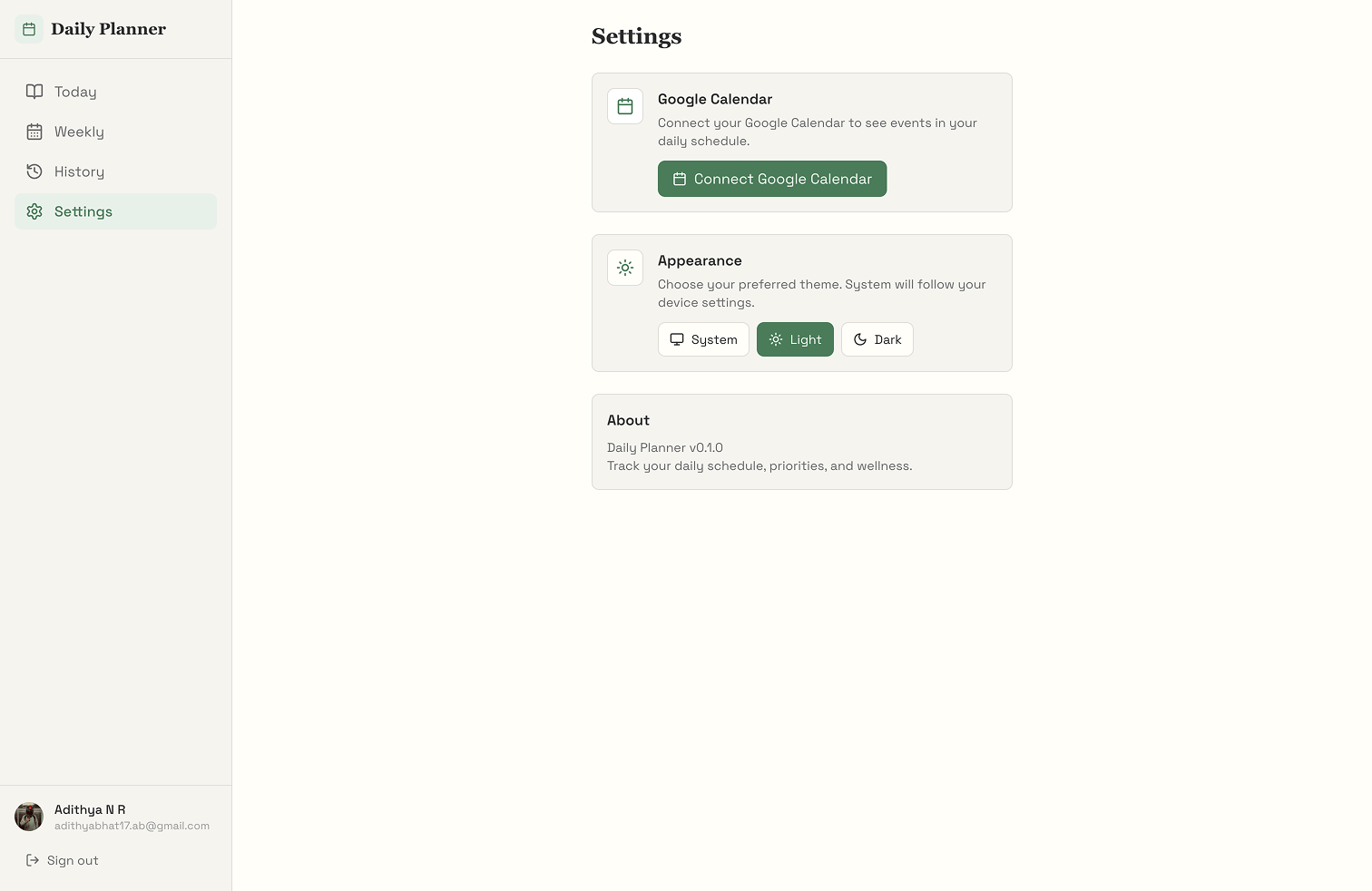
This was the most complex feature to build and the main reason I needed Supabase Edge Functions. The integration is one-way: events come in from Google Calendar, but nothing gets written back. Four Edge Functions handle the flow (authorize, callback, sync, and disconnect), all running on Deno.
The sync function is where most of the logic lives. It checks the user's stored OAuth tokens in the google_oauth_tokens table, refreshes them if they've expired, hits the Google Calendar API for that day's events, filters out all-day events (they don't map to hourly slots), and returns the results as schedule entries. If the token refresh fails, maybe the user revoked access or the refresh token expired, it deletes the stored tokens entirely. Clean cut instead of a half-broken state.
On the frontend, calendar events show up in the schedule with a visual marker so you can tell them apart from entries you typed in manually. They're read-only. The is_from_google_calendar flag on the schedule entry handles this.
The Status Lifecycle
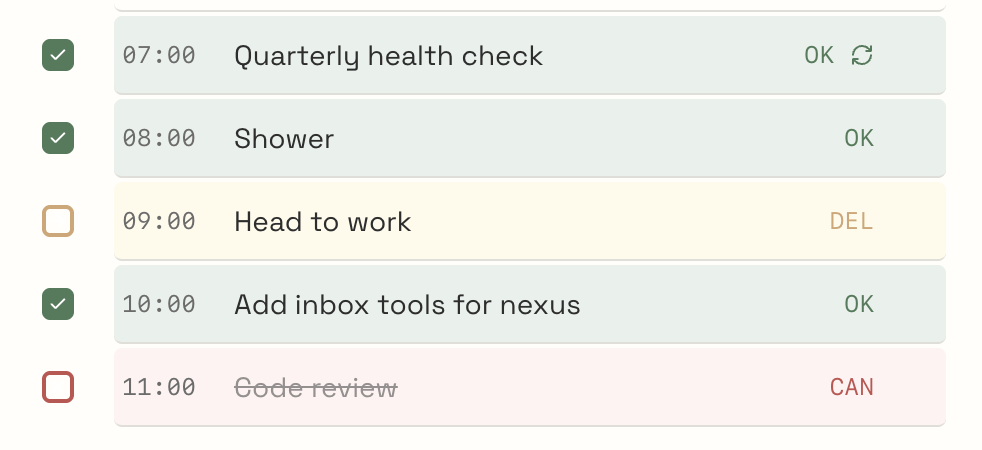
Both todos and schedule items share a four-state lifecycle: pending, completed, delayed, cancelled. Click to cycle through. Each state has a color. Green for completed, amber for delayed, red for cancelled, nothing for pending.
This ended up being the feature that made the biggest difference for me. A checkbox only tells you done or not done. But in reality, some things get pushed to tomorrow. Some things get dropped entirely. And at the end of the day, you can scan the colors and immediately see how things went. Mostly green? Good day. Heavy amber? You probably took on too much. Red everywhere? Something went wrong. It turned into a mini daily retrospective without having to write one.
Design Choices
The visual design was intentionally anti-SaaS. Cream backgrounds (#FFFEF9), dark ink text (#2D2D2D), forest green accents (#4A7C59), serif headings in Book Antiqua, body text in Space Grotesk, monospace in Space Mono. The whole point was to make opening the app feel like opening a notebook, not logging into a dashboard.
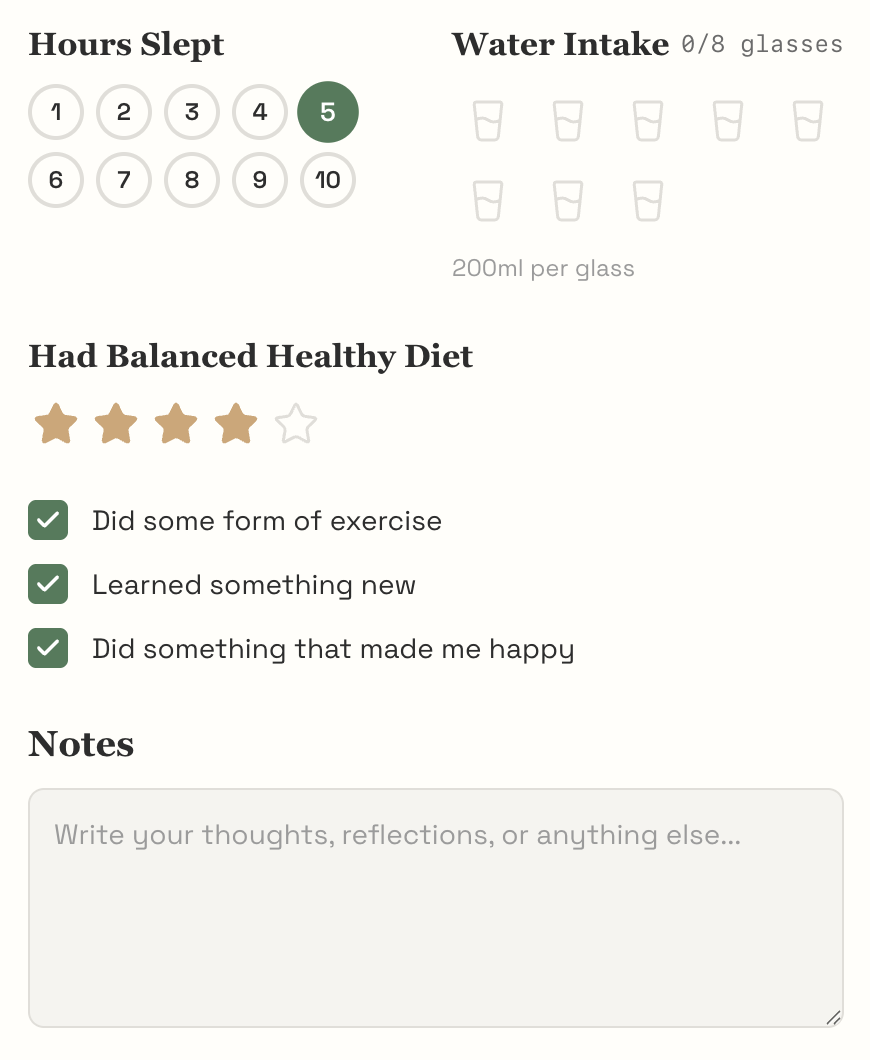
The wellness trackers lean into this. Sleep is a row of 10 numbered circles you tap. Water is eight glass icons that fill up. Diet is five stars. Exercise, learning, and "happy moment" are toggle buttons. Nothing is a slider, nothing opens a modal. Tap and move on.
Outcome
I use Daily Planner every single day. Web app is deployed on Vercel, mobile through Expo. Fully TypeScript monorepo with 10 shared components, a single Zustand store, PostgreSQL with RLS on every table, and a Google Calendar integration that hasn't broken on me yet.
The thing that actually made it useful was the constraints. Three priorities forces you to choose. The hourly schedule forces you to think about time and not just tasks. And the wellness tracking forces you to notice patterns you'd normally ignore, like the fact that you always skip water on days when your schedule is packed.
Tech Stack: Next.js 15 · React 19 · React Native · Expo SDK 54 · TypeScript · Supabase · PostgreSQL · Zustand · TanStack React Query · @dnd-kit · Turborepo · pnpm · Tailwind CSS · NativeWind · Vercel · Deno Edge Functions